How does meeting transcription work?
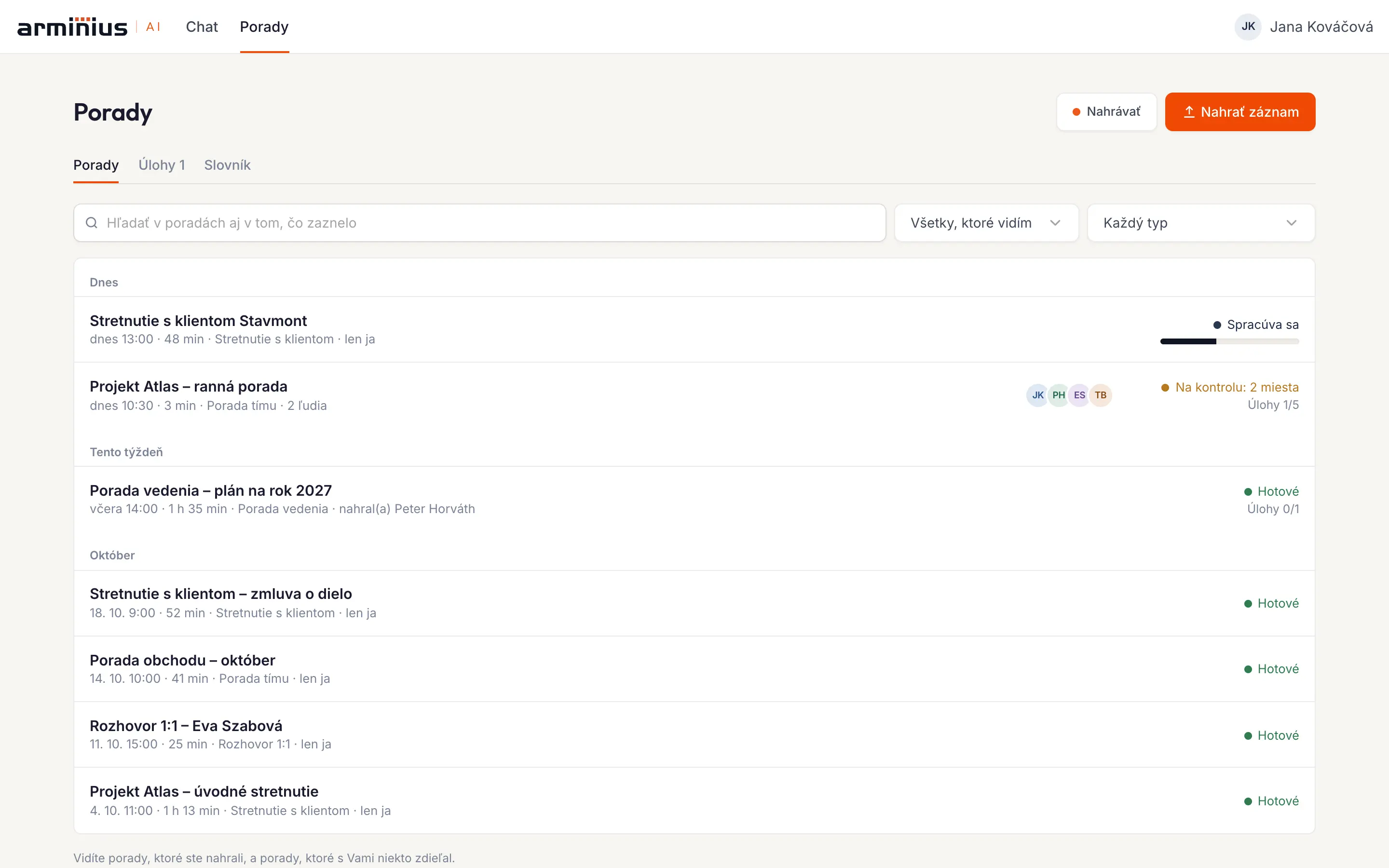
You upload a file or record directly in the browser. The appliance in your company tells the voices apart, turns speech into text and prepares the minutes. You assign names to the voices from the meeting participants. All processing runs without internet.
What is the difference between a transcript and minutes?
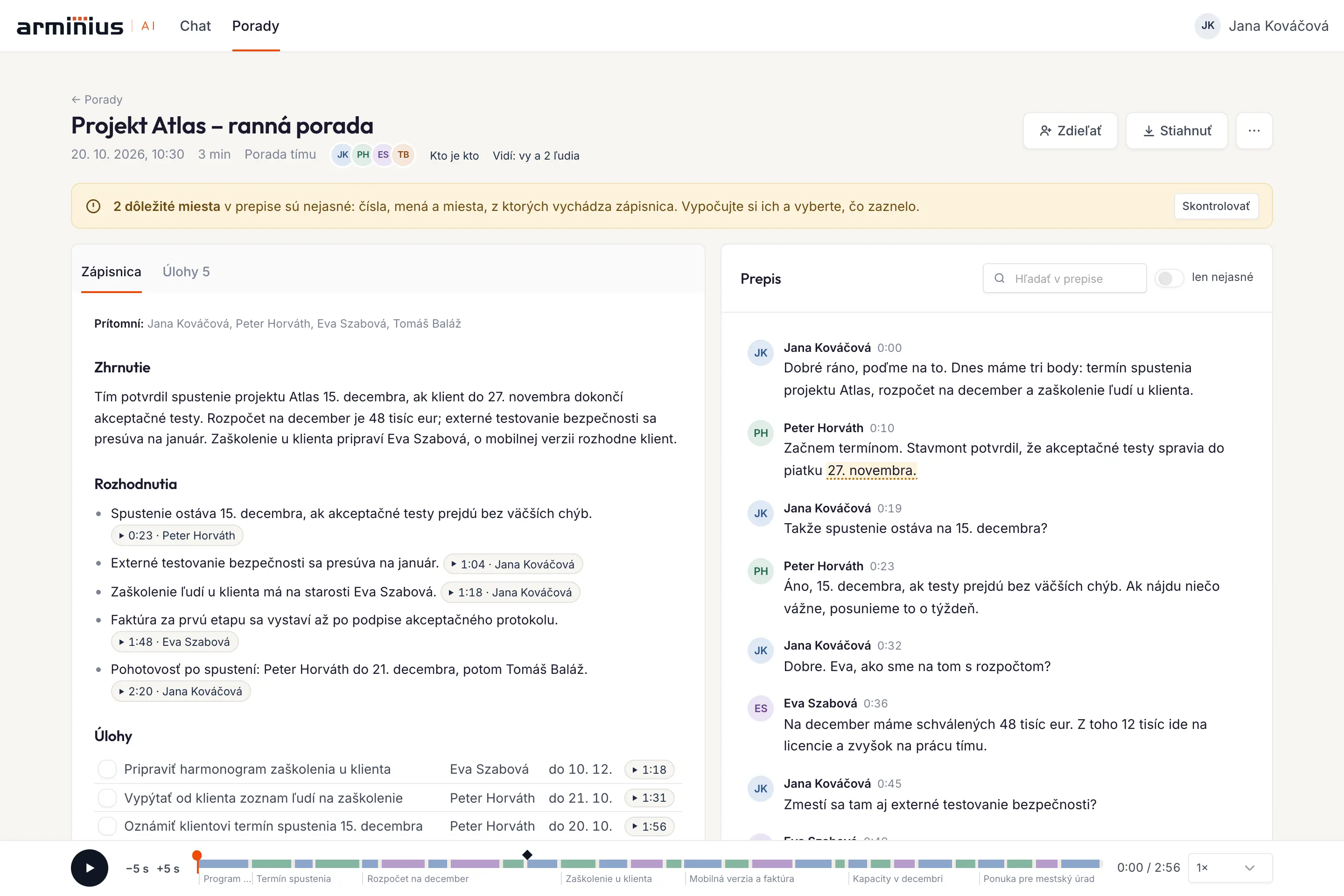
A transcript is the verbatim text of everything said in the meeting, with names and times. Minutes are a short digest: decisions, tasks, deadlines and open questions. The module prepares both and links every item in the minutes to the moment in the recording.
Do the audio or transcript go to the cloud?
No. Audio, transcript and minutes are processed on the appliance in your company and stay there. The appliance does not need internet to process them.
How long does it take to transcribe an hour-long meeting?
In our measurements on our appliance, transcribing an hour-long meeting took about 7 minutes and the minutes about a minute. You can close the window in the meantime; the meeting is processed on its own.
Can it transcribe a Teams or phone recording?
Yes. You can upload MP3, M4A, WAV and MP4 Teams recordings, up to 4 hours and 2 GB per file. You can also record directly in the browser on a laptop or phone.
Does it recognise who is speaking?
It tells the individual voices in the meeting apart. You decide who each voice belongs to: listen to short samples and pick the name from the participants. No voice profiles are created.
What should meeting minutes contain?
Attendees, a summary, decisions, tasks (who, what, by when), dates and figures, open questions and the course of the meeting with times. Every item links to the moment in the recording. You download the minutes as a Word file.
Do participants have to know about the recording?
The module does not process a meeting without confirmation: when uploading, you confirm that participants knew the meeting was being recorded. The confirmation is stored with the meeting.
Who will see the recording and the transcript?
Only the person who uploaded the meeting and the people they share it with. The whole company can be given access to the minutes only. IT administrators cannot see meeting content.
What if the system mishears a name or a term?
Correct it in the transcript and save it to the vocabulary. The correction is applied elsewhere and in later meetings too. The system knows employee names from the company directory.
Does it transcribe English or Czech?
Today the module is set up for Slovak. We add Czech or English on request.